Samsung Galax SmartTag
- 3.1
- Rating
- 50.00K
- Installs
- Free
- Price
 Analysis by App-foxy
If you have a Samsung SmartTag and want a straightforward way to connect it to your phone, Samsung Galax SmartTag is designed for that first practical step. I approached it as a companion app rather than a full tracking platform, and that distinction matters: its main purpose is helping you connect with and find a compatible smart tag. For a first-time user, the experience is most useful when the tag is already in hand and the goal is simple—pair it, check that the connection works, and have a tool ready for locating an everyday item.
The app is free, aimed at Everyone, and belongs to the Libraries & Demo section of the app store. It comes from kahlochSto, has passed 50 thousand installs, and currently appears as version 16.0. Those details place it among smaller, focused utilities rather than a broad, established device-management suite. I would not install it expecting a complete replacement for every Samsung accessory service. I would install it when I specifically need an app associated with a Samsung SmartTag and want to test the basic connection without paying for the software itself.
What to expect before you install it
The most important expectation is that the app’s usefulness depends on having a compatible smart tag. Without the physical tag, there is very little reason to keep it on your phone. The store summary centers on connecting with and finding a smart tag, so the sensible workflow is hardware first, app second: keep the tag nearby, make sure it has power, and then begin the setup from the phone.
You May Also Like

 Blood Strike: 2.5 Anniversary
Blood Strike’s Loadouts Turn Every Drop Into a Tactical Gamble
A close look at Blood Strike’s custom loadouts: how fast access to signature weapons reshapes its battle royale rhythm, rewards preparation, and narrows the gap between fights.

 Pandora - Music & Podcasts
Pandora’s Music Is Easy to Start, but Harder to Recover
Pandora’s strength is its low-effort path from a seed to a station. Its weak spot is how much confidence it asks you to place in connection, setup, and quiet recovery.

 8 Ball Pool
 Is Built on Rivalries, Rematches, and Routine
A close look at the rivalries, rematches, shared routines, and unanswered safety questions that turn a quick pool match into a persistent mobile community.

 Samsung Music
’s Quiet Strength Is Playing What You Already Own
Its reach comes less from spectacle than from dependable access to a personal library. That simplicity is both the app’s strongest retention engine and its ceiling.

 AccuWeather: Weather Radar
AccuWeather Review: A Quick, Clear Forecast for Everyday Decisions
For everyday plans, the best forecast is the one you can understand quickly. AccuWeather makes rain timing, radar, and local conditions easy to act on, with a few trade-offs.

 Hill Climb Racing
Why Hill Climb Racing Still Turns Crashes Into One More Run
A tiny car, a bumpy hill and one more upgrade: Hill Climb Racing keeps resurfacing because its simple chaos makes every near-miss feel personal.
More From Our News Desk



That focused purpose can be a strength. A person who only wants to locate a tagged key ring, bag, or another small possession does not necessarily need a crowded dashboard full of unrelated tools. I prefer a focused starting point when I am trying to solve one immediate problem. At the same time, this is not the right choice for someone searching for a general-purpose item finder that works equally well with many brands of trackers. The short description identifies it specifically with Samsung SmartTag, so compatibility should be treated as the first decision rather than something to investigate after installation.
On the store, the app has a 3.1 average from around 1.4 thousand ratings and about 198 written reviews. I read that as a reason to keep expectations practical. It has enough usage to be familiar to a meaningful group of people, but the rating does not suggest a universally smooth experience. In my view, that makes the setup details more important than the download itself. The app may be useful once the tag and phone are in the right state, but it is not the kind of tool I would recommend blindly to every owner of a non-Samsung tracker.
The operating-system requirement is Android 7.0 or later, which makes the app accessible to many older Android phones. That is helpful if you have a spare device or an older handset you use around the house. Still, an older supported operating system does not automatically guarantee that every connection attempt will feel identical across phones. I would keep the phone close to the tag during the first run and avoid trying to complete the process while moving between rooms or dealing with several nearby Bluetooth accessories.
Who will get the most from it
I see three especially sensible users. The first is someone who has just bought or received a Samsung SmartTag and wants a clear route to the first connection. The second is a household member who does not want to learn a large ecosystem and only needs a way to check a tag attached to an important object. The third is someone troubleshooting a tag that has stopped being useful and wants to determine whether the problem begins with the app, the phone, or the tag itself.
I would be more cautious if you are choosing an app before choosing the tracker. In that situation, start with the hardware you plan to use and confirm that the software is intended for it. I would also skip this particular download if your main need is tracking a phone, coordinating several people, or managing a mixed collection of tags from different manufacturers. Its narrow identity is useful, but that same narrowness limits its value outside the Samsung SmartTag use case.
Getting from installation to the first successful action
My recommended first setup is deliberately boring. Install the app on the phone you expect to carry regularly, place the SmartTag beside the phone, and open the app without putting the tag in a drawer, bag, or another room. A nearby tag removes one of the easiest sources of confusion: assuming the app is failing when the physical accessory is simply too far away or not ready to respond.
Before tapping through anything, identify the exact tag you want to use. If you have more than one, beginning with a single tag makes the result easier to understand. This is a small but valuable habit: when a first connection does not behave as expected, one tag gives you a clean test. Adding multiple accessories immediately can make it difficult to tell which device was detected, which one needs attention, or whether the issue belongs to the app at all.
The first meaningful success is not merely seeing the application open. It is confirming that the app recognizes the compatible tag and lets you use the find function for that tag. I would treat that as the setup checkpoint. Once you can identify the tag and initiate a locating action while it is nearby, you have proved the essential path from phone to accessory. Only after that would I attach it permanently to keys, luggage, or something you depend on every day.
There is a practical reason to test before attaching it: a tag hidden under a seat, inside a packed bag, or on a crowded key ring introduces extra uncertainty. If the first test works on a table, you know the connection path is sound. If the later real-world test is less convenient, you can focus on the object’s location and the surroundings instead of wondering whether installation was incomplete.
For a realistic everyday scenario, imagine leaving home in a hurry and noticing that your keys are not on the usual hook. I would open the app, select the tag associated with the key ring, and use the locating action while checking the obvious places first: the entryway, yesterday’s jacket, and the bag used the previous day. The value is not that the app eliminates every search. Its value is that it gives the search a defined first move instead of making me empty every drawer at random.
A second useful scenario is preparing for travel. Before placing a tagged bag near the door, I would test the tag from the app and confirm that I can identify it. That quick check is more useful than discovering a connection problem after the bag has been packed. It also encourages a better habit: treat the tag as a small system that deserves an occasional check, not as a magical object that can be ignored until something disappears.
Small setup choices that prevent larger mistakes
Keep the first session simple and stay close to the tag. I would also avoid changing several things at once. Do not move the tag, switch phones, add another accessory, and repeat the process simultaneously. If something goes wrong, return to the simplest arrangement: one phone, one compatible tag, and the app open nearby. This is a more effective troubleshooting method than repeatedly tapping the same control without knowing what changed.
Another useful tip is to give the tag a clear identity as soon as the app allows you to distinguish it from others. A label connected to the object—such as keys or a travel bag—is easier to understand later than a vague default name. This matters most in a household where several similar tags may be present. The benefit is not decorative organization; it reduces the chance of choosing the wrong accessory during a stressful search.
I would also test from the places where the tag will actually live. A tabletop test confirms the basic connection, but a tag inside a bag or attached to a dense key bundle may behave differently in practice. The trade-off is simple: a close test is easier to interpret, while a realistic test tells you more about your routine. Do both, but do them separately so you know what each result means.
Common confusion during the first search
The biggest misunderstanding is expecting the app to locate an object simply because the object has been registered once. The app is a bridge to the compatible SmartTag; it does not turn an untagged item into a searchable one. If the tag is not attached to the thing you lost, searching inside the app will not solve the problem. This sounds obvious, but it is easy to forget when the missing item is the focus of the moment.
Another common mistake is treating the app name as proof that every Samsung tracking accessory will work in exactly the same way. I would check the specific tag model and keep the expectation narrow: this app is presented for Samsung SmartTag. If you own another tracker, do not assume that installing this application will make it appear. A dedicated alternative from that accessory’s manufacturer may be the better route.
It is also easy to confuse a failed search with a failed setup. If the app connected successfully while the tag was beside the phone, but the later search is not useful when the tag is somewhere else, those are different situations. Repeating the pairing process may not address the real issue. I would first return to the last known location, place the phone near the expected item, and see whether the behavior changes. That simple comparison tells you more than uninstalling immediately.
When several tags are nearby, identification can become another source of friction. A tag on a desk may respond while the tag on your keys is the one you intended to find. This is why meaningful labels and one-at-a-time setup are more than organizational niceties. They make the app’s results easier to interpret, especially for families sharing a home or for anyone who owns several similarly shaped accessories.
The rating also suggests that not every user experiences the app as effortless. I would not dismiss it solely for that reason, because a focused tracker companion can still be useful after the initial learning curve. But I would avoid relying on it as the only plan for an irreplaceable item. A tag can support a search; it should not replace sensible habits such as keeping keys in a consistent place, labeling luggage, or checking that the accessory is still attached.
How it compares with the usual alternatives
Compared with a general Bluetooth utility, Samsung Galax SmartTag has a clearer purpose for the intended hardware. A generic Bluetooth tool may show nearby devices, but it is not necessarily organized around finding a SmartTag attached to a personal item. For a Samsung tag owner, the dedicated route is easier to understand because the app and accessory share the same use case.
Compared with a broader device ecosystem, however, this app is less attractive if your home contains trackers from several brands. A larger platform may be more convenient when one interface needs to cover different accessories, phones, or family members. The trade-off is complexity: broader tools can offer more reach, while a focused app can be less distracting when all you need is a connection to one kind of tag.
I would also distinguish it from ordinary note-taking or inventory apps. Those can record where an item belongs, but they do not provide the same direct relationship with a physical SmartTag. Conversely, an inventory app may be better for documenting serial numbers, contents, or ownership details. Samsung Galax SmartTag is not a replacement for that kind of record keeping; it is the action-oriented part of the routine, used when you want to work with the tag itself.
What I would do after the first successful connection
Once the tag works beside the phone, I would attach it to one item that genuinely causes inconvenience when misplaced. Keys are the obvious example, but the best choice is the object you regularly search for, not necessarily the most expensive one. Starting with one useful item lets you learn the app under normal conditions without turning the home into a test lab.
I would then perform a second check from the object’s usual storage place. This is one of the more valuable steps because it tests the routine rather than the installation. If the tag is attached to a bag, test it while the bag is where you normally leave it. If it is on keys, test it from the entry area. The result gives you a realistic sense of how quickly you can move from opening the app to taking action.
After that, create a simple personal rule: whenever you move the tag to a new object, test it before relying on it. This avoids a subtle failure mode in which the app remains installed and the tag remains listed, but the physical tag has been separated from the item you thought it was protecting. The rule takes little effort and makes the software part of a dependable routine instead of a last-minute experiment.
For households, I would keep the ownership arrangement clear. Decide whose phone is normally used for the tag and make sure that person knows the basic path to the locating action. If everyone assumes someone else has tested it, the app may be present on several phones without anyone having a confident procedure. A shared object benefits from shared understanding, even if only one person handles the regular checks.
My recommendation after using it
Samsung Galax SmartTag makes sense when the need is specific: connect a compatible Samsung SmartTag, confirm that it works, and use it as a practical aid when a tagged item goes missing. I like its focused role and the fact that the software is free. The support for Android 7.0 and later also makes it a reasonable option for people who are not using a recent phone.
My reservation is equally specific. The app should not be chosen as a universal tracker manager, and the 3.1 average means I would approach it with patience rather than assume a perfect first run. The physical tag, the phone, and the way you organize your accessories all affect the experience. If you keep those parts simple, the app has a fair chance of becoming useful; if you need cross-brand coverage or a much wider location-management system, another option may suit you better.
For a first-time user, my advice is to install it only when the compatible tag is nearby, test one tag before adding others, confirm one successful locating action, and attach it to an item you actually misplace. That path turns the download into something measurable and reassuring. The real test is not whether the app opens, but whether it helps you take the first sensible step when a tagged item is missing. With that expectation, this small Libraries & Demo app is worth trying for the right Samsung SmartTag owner, while everyone else should begin by checking compatibility before making it part of a daily routine.
FAQs for Samsung Galax SmartTag
01What is the Samsung Galaxy SmartTag and how does it work?
The Samsung Galaxy SmartTag is a compact Bluetooth tracker designed to help you locate misplaced items such as keys, bags, or even pets. It works by connecting to your smartphone via the SmartThings app, allowing you to track the tag's location using Bluetooth technology. When the tag is within Bluetooth range, you can make it emit a sound to help you find your item.
02Is the Samsung Galaxy SmartTag compatible with all smartphones?
The Samsung Galaxy SmartTag is primarily designed for use with Samsung Galaxy smartphones. It requires the SmartThings app to function, which is available on both Android and iOS. However, for the best experience and full feature set, it's recommended to use it with a Samsung device, as some functions may be limited on other smartphones.
03What is the battery life of the Samsung Galaxy SmartTag?
The Samsung Galaxy SmartTag is equipped with a replaceable CR2032 battery, offering up to several months of usage depending on how frequently you use the device's features. When the battery is low, you'll receive a notification through the SmartThings app, ensuring you're always able to keep track of your belongings.
04Can I use the Samsung Galaxy SmartTag to track my pet?
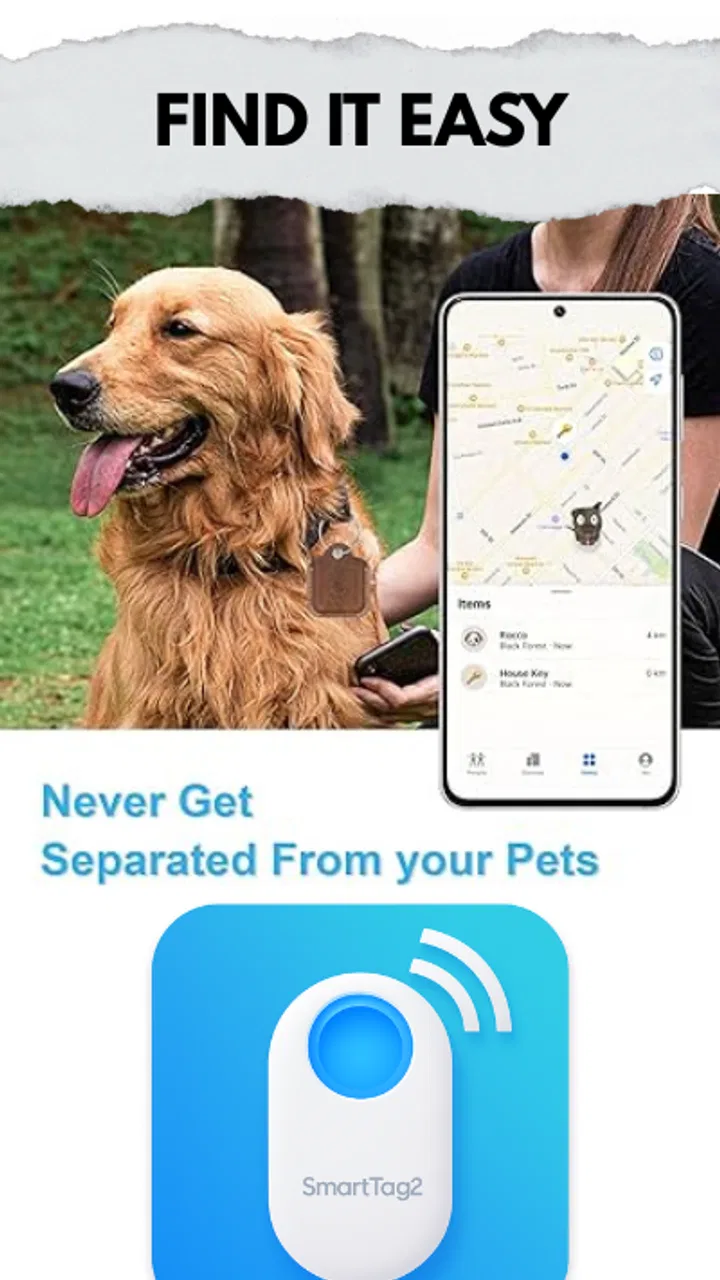
Yes, the Samsung Galaxy SmartTag can be attached to your pet's collar to help keep track of their location. However, it's important to note that the device relies on Bluetooth technology, so the tracking range is limited. For tracking beyond Bluetooth range, you'd need to rely on the Galaxy Find Network, which uses nearby Samsung devices to locate your tag.
05What features does the Samsung Galaxy SmartTag offer beyond tracking?
Apart from tracking, the Samsung Galaxy SmartTag includes various SmartThings app features. You can use it to control smart home devices with a single button press. For example, you can set it to turn on lights or control other IoT devices when you arrive home. This multifunctionality adds convenience to your daily life.
Pros
- Easy to attach to various items.
- Long-lasting battery life.
- Wide tracking range with Bluetooth.
- Seamless integration with SmartThings.
- Compact and lightweight design.
Cons
- Limited functionality without a Samsung device.
- No global GPS tracking capability.
- Requires regular app updates.
- Bluetooth connectivity can drain phone battery.
- Not waterproof
- limited outdoor use.

Samsung Galax SmartTag
Gallery